



Most teams do not need a 12-minute studio documentary. They need a 20-second feature clip, an onboarding beat, a launch hold with the real product still on screen. Traditional production still treats that like a shoot: script, talent, location, edit, wait. Avatar-and-template tools treat it like a talking head with a stock office behind it. Both can be right. Neither is what this review is about.
This is a review of Topview as an AI video workspace: a place to plan a short, attach the stills you already have, route generation to a model, and keep takes in a project. It is not a count of 1,600 digital presenters. It is not a claim that every company cut production time by a round number. It is whether the desk is usable when the job is a directed 15–30 second beat.
The job traditional video still over-serves
A product marketer with packshots and a music cue does not need a camera truck. They need the bottle, the room, and the last five seconds to stay still long enough for a URL. A founder with a dashboard PNG does not need an actor. They need the same chrome from second two to second twenty.
Hiring a crew for that is slow. Prompting a random eight-second app is fast and usually dishonest: the label drifts, the UI grows a second sidebar, the jacket changes. The interesting middle is a workspace that treats references and timing as first-class, then lets you generate.
That is the slot this review tests.
What Topview actually is
Topview is a hosted creative environment. You can start from a prompt, stills, a product URL, a script, or a mixed kit. The platform helps group scenes, keep outputs attached to a project, and send work to different models depending on the beat. Beginners can stay on an agent-style path. Teams that need more control can move into canvas-style edits, a cinematic desk for boards and camera notes, or a short-drama desk when characters have to survive more than one post.
That last sentence is the review’s main caution: do not rank the workspace against a single model. Seedance 2.5, MiniMax H3, and other engines that appear inside Topview are generation lanes. Film Studio and Drama Studio are desks. Mixing those rows is how comparison tables go stale.
For this review, the question is narrower: can a small team ship a short, kit-locked clip without opening three other subscriptions?
What held up in use
Reference-first beats. The useful path is not “cinematic product video” as a vibe. It is: packshots, talent still, optional motion or audio, then second ranges. When the kit is clean, longer multimodal generation (including Seedance 2.5 as a model on the platform) is a better match for a 15–30 second proof than five glued orphans.
Routing instead of one magic engine. A 10-second native-sound punch and a 25-second walkthrough are different jobs. A workspace that can send those to different models is more honest than a homepage that pretends one slider does both.
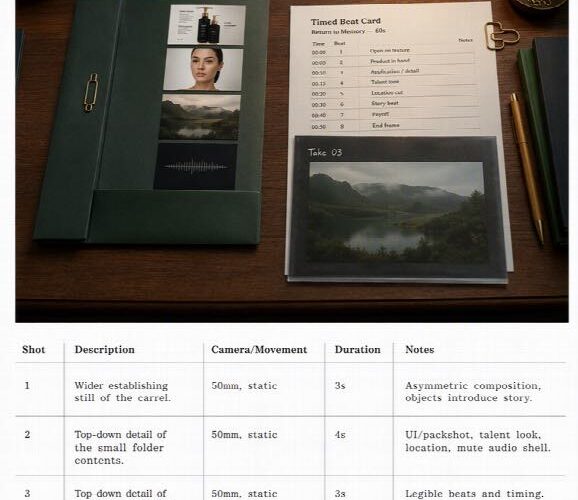
A place for the shot list. If you skip boards and dump conflicting stills into one folder, Topview will not save you. If you lock a look first — even a short card: open, proof, hold — the generate step wastes fewer credits. That is a production habit, not a feature bullet, and it is where this platform is stronger than a naked prompt box.
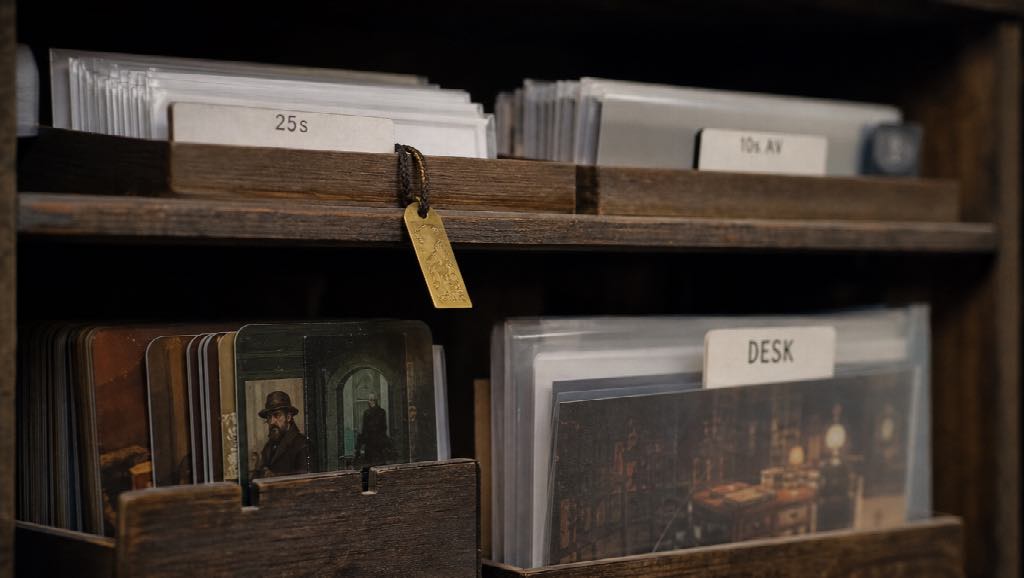
Project memory. Takes sitting next to the brief beats downloading a ZIP into a desktop graveyard. For a weekly launch cadence, that matters more than another style preset.
What did not, or will not, replace
Topview will not replace a live interview, a customer who actually bought, or a compliance recording that has to be a real person. It will not swallow a 12-minute training course in one render. Avatar-heavy L&D suites still win when the deliverable is a presenter in 40 languages with a template library. This review is not that bake-off.
It also will not invent a brand kit you did not upload. Two haircuts in the folder are an argument. The model will pick one, badly.
Hosted generation uses credits. Treat it like studio time, not like unlimited stock.
A four-step pass (the part that should feel boring)
The Radar-style product reviews that stay readable usually compress to a short procedure. This is the one that survived:
- Put the kit in the project — UI still or packshot, one talent or mascot look, one location, music you own.
- Write the beat in seconds — 0–6s establish, 6–18s proof, 18–30s hold. Negatives: no new logo, no extra people.
- Generate on the lane that matches duration — longer multimodal pass for the proof; a short audiovisual model if the file must already contain a hit.
- Review identity before beauty — navbar, label, collar. Then caption what you meant, in an editor if you have to.
If step 4 fails, change one variable. Do not buy a higher adjective.
Who this review would hand it to
Yes: SaaS and ecommerce teams with photography already shot; small agencies that need a 20-second variant without a reshoot; creators who are tired of stitching eight-second clips that disagree about the room.
No: Teams whose only video is a talking-head LMS module and who need 1,000 presenter looks tomorrow. Teams that need a legal deposition. Teams that refuse to look at a still before they prompt.
Retail floor explainers, internal feature walkthroughs, and launch bumpers all fit. Clinical technique videos and anything a licensed professional should demonstrate in person do not belong in a generate box, here or anywhere.
Verdict
Topview is not “AI video” as a single gadget. It is a workspace that is worth a trial when your bottleneck is a short, reference-locked clip and you are willing to write seconds instead of moods.
It will not slash an unnamed 90% off a process you never measured. It will remove a crew day from a class of videos that never needed a crew. If that is the job, the desk is in the right category. If you needed 1,600 avatars and a compliance template, you are in a different aisle — and you should review that aisle instead.